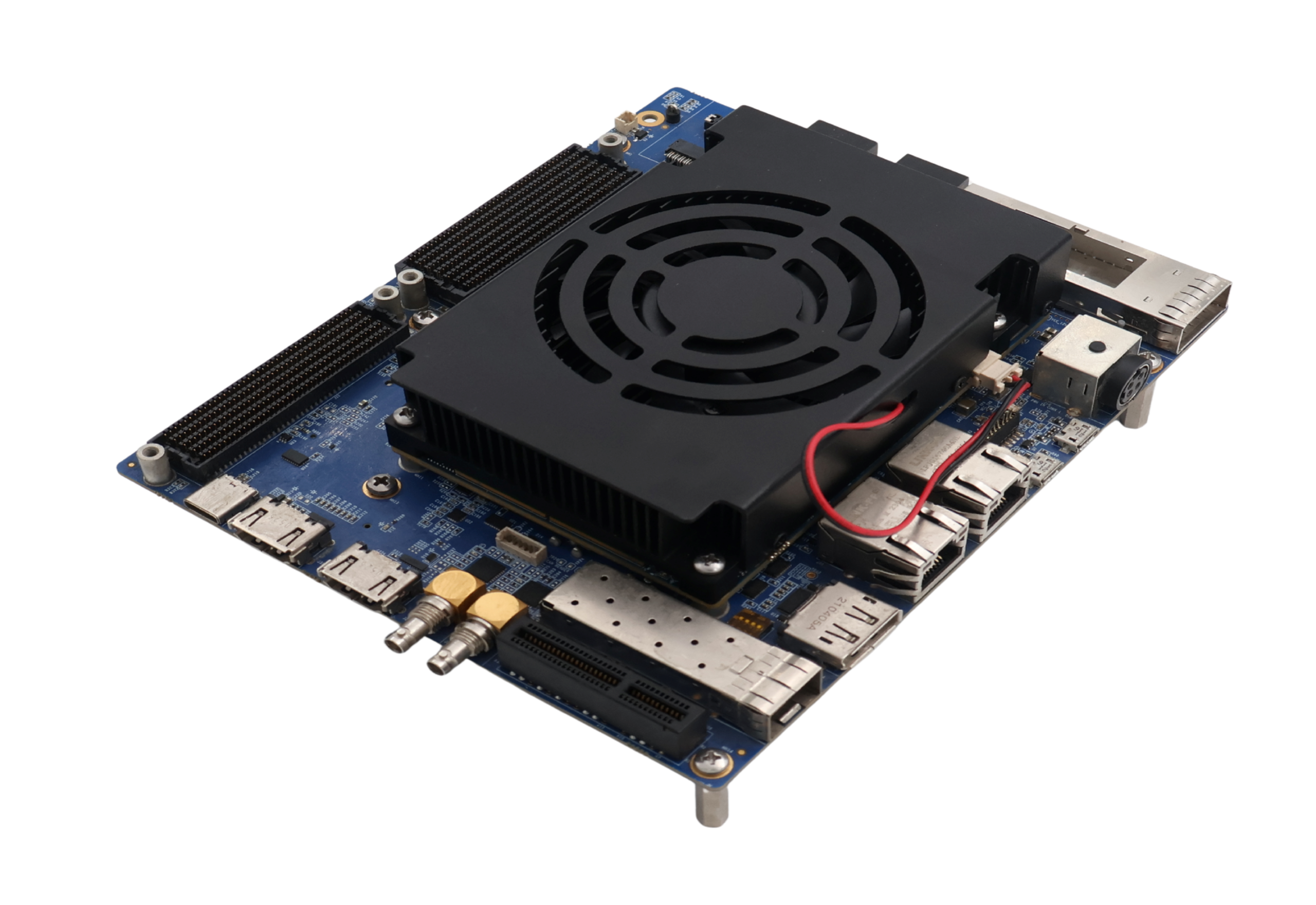
Get started with Agilex 7 SoC FPGA (R24C) SOM Development Platform
Unpacking
Remove the Development Platform from box and place above the ESD free area. Use anti-static pad/mat with proper grounding to place the Development Platform. Also make sure that, below deliverables are received without any physical damage.
Development kit contains:
Agilex 7 SoC FPGA (R24C) SOM Development Platform
12V, 14A Power Supply
Safety guidelines
USB Debug cable
JTAG cable
Agilex 7SoC FPGA (R24C) SOM Development Platform
Safety guidelines
12V, 14A Power Supply
USB Debug cable
JTAG cable
Get to know
Agilex 7 SoC FPGA (R24C) SOM – Top view
Fan Header
Agilex 7 SoC FPGA
Configuration selection switch
Agilex 7 SoC FPGA (R24C) SOM – Bottom view
4. Board to Board connector 2 5. Board to Board connector 3 6. Board to Board connector 1
Agilex 7 SoC FPGA (R24C) Development Platform – Top view
1. Firefly Connector** 2. Firefly Power Connector** 3. Board to Board Conn 4** 4. Board to Board Conn 2 5. PMOD Connector 2** 6. JTAG Header 7. RESET Switch 8. PMOD Connector 1** 9. QSFP+ Connector 10. Power ON/OFF Switch 11. Power IN Connector 12. Debug Port 13. 20 Pin GPIO Header 14. USB OTG Connector 15. Ethernet MAGJACK 1 16. Ethernet MAGJACK 2
17. Display Port** 18. XCVR Config Switch 19. SFP+ Connector* 20. PCIe x 1 Connector** 21. SDI IN HD BNC Jack 22. SDI OUT HD BNC Jack 23. HDMI OUT Connector** 24. CAN Header** 25. HDMI IN Connector** 26. USB Type C Connector* 27. FMC Connector 28. Board to Board Conn 1 29. FMC+ Connector 30. Board to Board Conn 3 31. 12V FAN Header
Agilex 7 SoC FPGA (R24C) Development Platform – Bottom view
32. RTC Battery Holder* 33. Standard SD Connector* 34. M.2 SATA Connector**
35. SMA Connector 2 36. SMA Connector 1
*Optional **Not Support
Debug Port Setting
Connect Type-A end of USB cable to PC and Micro-B end of USB cable to Development platform’s debug Micro USB connector (J13) as shown below.
Install the driver for Debug Port in Host PC/Laptop using the below link. Drivers – FTDI Setup the Debug Terminal parameters. Baud Rate : 115200 Data bits : 8 Parity : None Stop Bits : 1
Powering ON
Connect the Power supply plug to the Power connector (J10) of the Development platform as shown below and switch ON the power supply. Once power is applied to the Development platform, the power LED in the Development platform will glow as shown in the below image.
Warning:
Do not try to connect any other Power Supply other than supplied along with Agilex 7 SoC FPGA (R24C) SOM Development Platform.
Do not plug or remove Agilex 7 SoC FPGA (R24C) SOM from carrier board with live power.
Contact iWave, if power LEDs are not glowing.
Test Environment setup
Once power is applied to the Development Platform as explained in the previous section, boot messages being displayed in the debug terminal of the PC/Laptop which is connected to the Development platform. Press any key in terminal immediately to see the command prompt of the Boot loader or wait until OS boots. After OS boots, Login prompt being displayed in the debug terminal. Enter username and password as “root” to get the Linux command prompt as shown below.
Command Prompt
JTAG Connection
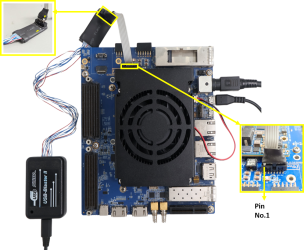
iW-RainboW-G43D Agilex 7 SoC FPGA SOM Development platform support JTAG interface for FPGA Programming and debugging. Use the USB Blaster to connect Carrier Board. Ensure that Switch-4 on the carrier board is turned OFF.
Example USB Blaster which is tested with this Platform is mentioned below. USB Blaster-2 Part Number : PL-USB2-BLASTER from INTEL
Contact Us
We appreciate you contacting iWave. Our representative will get in touch with you soon!